Videography Kit
Everything you need to create high-quality video for the web and social media, from simple filming setups to easy editing tools, lighting, sound and creative support. Whether you’re just starting out or looking to polish your content, we’re here to help you produce professional, engaging videos that look great on any platform.
Capture high-quality video anywhere with this complete, creator-ready setup. Designed for vloggers, educators, review creators, and on-the-go storytellers, this kit includes everything you need to produce professional content straight out of the box.
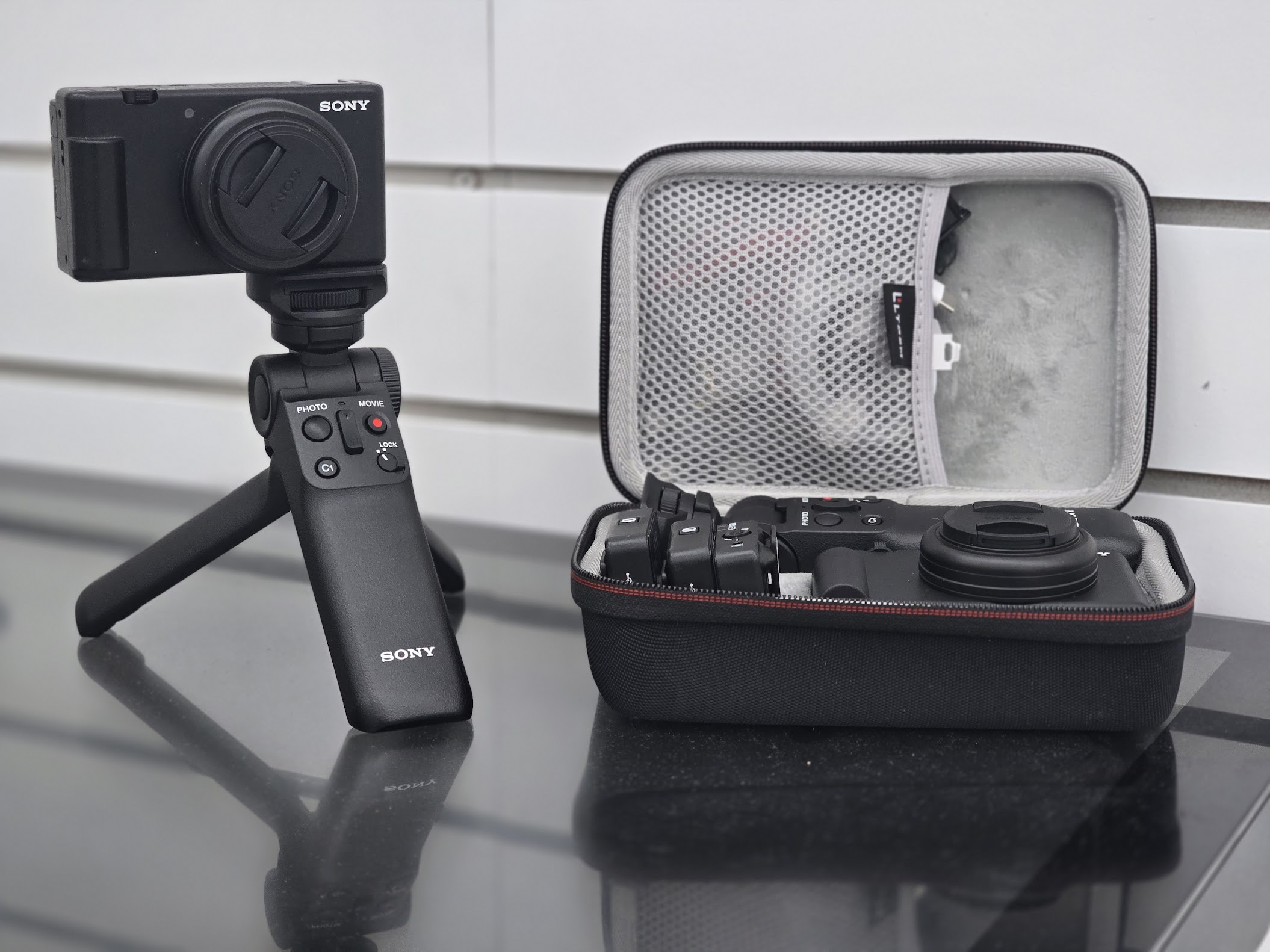
Sony Compact Vlogging Camera
A powerful point-and-shoot camera built for creators. With fast autofocus, excellent low-light performance, and crisp video quality, it delivers beautiful footage with zero fuss. The included lens cap keeps your gear protected between shoots.
RØDE Wireless Microphone Pair
Achieve crystal-clear audio with the industry-leading dual RØDE wireless mic system. Perfect for interviews, walk-and-talk content, workshops, and social media videos with two speakers. Easy to pair, ultra-lightweight, and reliable even in busy environments.
Sony Bluetooth Grip / Tripod
A multifunctional remote grip that transforms from a comfortable handheld mount to a sturdy tabletop tripod. Integrated controls allow you to start/stop recording, take photos, zoom, and lock the camera without ever touching it — ideal for stable shots and smooth vlogging.
Protective Travel Case
A rugged, compact carry case with custom foam inserts keeps your camera, grip, cables, and microphones safe, organised, and ready to go. Mesh pockets provide space for batteries, chargers, and accessories while keeping everything neat.
Getting Started With the Camera
- Basic controls, modes, autofocus, recording formats.
- deal for complete beginners.
How to Hold & Use the Sony Tripod Grip
- Switching between handheld and tripod mode.
- Using the built-in remote buttons.
Setting Up the RØDE Wireless Mics
- Pairing, clipping, windshields, placement, and troubleshooting.
Filming Indoors vs Outdoors
- Best lighting positions, shadows, how to handle bright sunlight.
How to Record Smooth, Steady Video
- Using the grip, avoiding shaky movement, simple walk-and-talk shots.
How to Film a Two-Person Interview Using Dual RØDE Mics
- Framing, audio balance, conversational flow.
Capturing Community Stories Respectfully
- Consent, safeguarding, building trust with participants.
Filming “A Day in the Life” at Your Organisation
- B-roll ideas, structure, and narrative flow.
How to Run a Pop-Up ‘Video Booth’ at Events
- Quick setup, mic placement, and prompts to get great quotes.
Making Short Social Media Updates About Your Projects
-
30–60 second format, hooks, call-to-action.
How to Capture Good B-Roll Footage
- Cutaways, activity shots, hands-on work, environment details.
Simple Editing on a Phone or Laptop
-
Trimming clips, adding titles, music, and captions.
Adding Subtitles (Essential for Accessibility)
-
Using free tools like YouTube Studio or CapCut.
Exporting Video for Social Media (FB, Insta, TikTok, YouTube)
-
Aspect ratios, recommended resolutions, file sizes.
How to Organise & Back Up Your Footage
-
Folder structure, naming files, cloud backup.
How to Film Impact Stories (Before/After)
-
Showing change, progress, community benefit.
Creating Quick Volunteer Spotlights
-
60–90 second intros, what they do, why they help.
Capturing Workshops & Events Safely
-
Filming groups, avoiding identifiable minors if consent isn’t given.
Shooting Short Testimonial Videos From Service Users
-
Prompt questions, mic technique, environment.
Making a Mini-Documentary About a Project
-
Structure, planning, storyboard basics.